
With the market share of the affiliate marketing industry growing to $16 billion, a Shopify affiliate program has become a must-have for all brands.
Most Shopify brands mess up their affiliate program before it even starts.
The reason: wrong tools, skipping critical setup steps, and no optimization after setup.
Since we’ve seen it happen too often, we built this easy step-by-step guide to help you avoid those mistakes and launch with confidence.
Here’s what you’ll find inside:
- A clear breakdown of how affiliate programs work in Shopify
- Step-by-step instructions to launch and manage your affiliate marketing campaign using the right app
- Proven ways to optimize performance, track results, and fix common issues
By the end, you’ll have everything you need to set up a high-performing affiliate program and 2X your sales.
Table of contents
- How does a Shopify affiliate program work?
- Why run an affiliate program for a Shopify store?
- Shopify affiliate program vs referral program
- What do you need before you set up an affiliate program?
- Which are the best Shopify affiliate apps to start with?
- How to create a Shopify affiliate program in 6 steps?
- How to optimize a Shopify Affiliate Program for better results?
- Common issues in affiliate programs and tips to fix them
- Conclusion
- Frequently Asked Question
Launch your Shopify affiliate program in 5 minutes with Yuko Affiliate Marketing — only pay for real sales.
How does a Shopify affiliate program work?
An affiliate program in Shopify is a marketing program based on performance, where affiliate partners promote your products for commissions.
Firstly, Shopify affiliates join your program and receive unique tracking links. Then, they share these affiliate links on Shopify with their audience.
Following that, customers click the links and visit your store. When purchases happen, you can track the sale back to the affiliate. Finally, Shopify affiliate earns their commission automatically.
Thus, when you focus on growing the business, your referral partners will easily drive sales on your behalf.
However, you must build a Shopify affiliate system that handles all the tracking, attribution, and payments.
Why run an affiliate program for a Shopify store?
There are various benefits of running an affiliate program for a Shopify store, like the following:
- Cost-effective customer acquisition: According to reports, CAC for e-commerce is $70. While this can be high for some Shopify beginners, with Shopify affiliate marketing, your CAC can be optimized, as there is no upfront cost, and you pay only for actual sales.
- Expand your reach: Word of mouth marketing doesn’t stop with you telling your friends, who tell their friends about your business. Each Shopify affiliate partner brings their own established audience. A single successful affiliate can introduce your brand to thousands of potential customers with one reel or post.
- Build authentic social proof: Nowadays, people aren’t ready to spend until they are sure they are getting value for money. Thus, having Shopify affiliate marketing programs creates genuine endorsements that money can’t buy. When real customers become affiliates, their testimonials carry authenticity.
- Scale without hiring: Growing your sales team traditionally means recruiting, training, and managing employees. However, influencer partnerships are easy to access and will bring you 5X your investment.
Shopify affiliate program vs referral program
If you are wondering how a referral program in Shopify is different from an affiliate program, learn here.
| Feature | Shopify Affiliate Program | Shopify Referral Program |
| Promotion | Affiliate partners, influencers, and content creators | Existing customers |
| Commission/Reward | Percentage commission | Discounts, store credits, freebies |
| Goal | Customer acquisition | Customer acquisition + retention |
| Best for | Scaling | Increase loyalty & retention |
| Complexity | Need outreach & contracts | Simple setup with referral pop-ups/emails |
What do you need before you set up an affiliate program?
Before you get ready with your affiliate marketing tools and dive into setting up, let’s discuss some prerequisites for building an affiliate program.
1. You must be crystal clear on your goals.
You can go back to basics and simply sit down and write out your answers to these questions:
- How much revenue do you want your affiliate program with Shopify to bring monthly? (Be specific)
- How many active partners do you realistically need? (Start small)
- Which new audiences are you trying to reach? (helps if you understand affiliate marketing niches better)
- What kind of brand exposure are you after? (more than direct sales)
2. You ought to figure out your commission budget.
Here’s the thing about Shopify affiliate commission rates – while they need to make your partners excited, you can’t ignore your profit margin.
Firstly, look at your profit margins. Secondly, consider customer lifetime value. Finally, don’t skip competitive research.
For a better understanding of this topic, read further on the types of affiliate commission models.
3. You should be clear on who you’re looking for
Affiliate recruitment needs more math than setting up a commission. A bad affiliate can consequently cost you more loss.
Thus, ensure you pick a mix of affiliate partners like content creators, Instagram influencers, your existing customers, industry partners, etc.
4. You’ve got to get your legal things right.
Legal documents are a way to lock the bond and create a safety net for when things go south.
Affiliate compliance is an important part of affiliate marketing, and so you have to dedicate time and energy to get it right.
However, once you set the needed terms and guidelines, you can repurpose it for all programs of your brand.
Which are the best Shopify affiliate apps to start with?
You can’t launch and scale a Shopify affiliate program without the right tool.
Therefore, here are the top apps to consider in 2025:
Yuko Affiliate Marketing
If you want something simple, scalable, and cost-friendly, Yuko Affiliate Marketing is your best bet. It’s Shopify-first, hence it handles tracking, payouts, and affiliate dashboards automatically. With its pay-as-you-grow model, you only pay for sales that happen, thus avoiding wasted spend.
UpPromote
UpPromote is popular among Shopify brands because it offers customization, integrations, and recruitment tools. It’s beginner-friendly and provides solid support. However, pricing tiers can rise quickly as you scale; therefore, plan accordingly.
Refersion
Refersion suits larger brands that need advanced tracking and detailed analytics. It integrates with multiple platforms beyond Shopify. As a result, it’s heavier and pricier, so smaller stores may find it overkill.
Simplify affiliate marketing: automate tracking, payouts, and recruitment with Yuko Affiliate Marketing for Shopify.
How to create a Shopify affiliate program in 6 steps?
For easy, streamlined creation of an affiliate program on Shopify, follow these steps:
- Pick the right app
- Set up your commission structure
- Create your contract and terms
- Build your signup page
- Set up tracking and payments
- Create your onboarding process
Step 1: Pick the right app
You’ll need a Shopify affiliate marketing app that handles the technical work.
Managing everything on your own can quickly become overwhelming; therefore, choosing the right app is really important.
Here’s what to look for in a Shopify affiliate app:
- Tracks clicks and conversions in real time, hence you always see performance instantly.
- Handles attribution across devices, thus avoiding disputes with affiliates.
- Let’s you customize commission rates and cookie durations, as a result, boosting partner motivation.
- Automates affiliate recruitment, payments, and tracking, hence saving you hours each week.
- Provides detailed analytics so you know what’s working and where to optimize.
- Gives affiliates their own dashboard, unique links, promo materials, performance stats, and product updates in one place.
Furthermore, the app must fit your budget and offer true value for money.
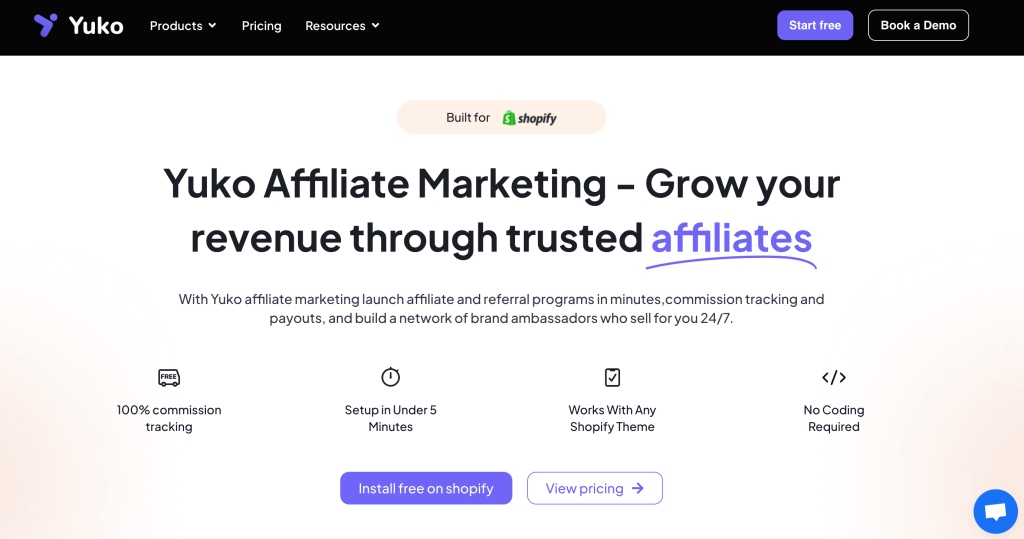
Yuko Affiliate Marketing checks all these boxes. As a result, with its pay-as-you-grow model, you only pay for actual sales.
Therefore, we’ll use Yuko Affiliate Marketing to build the program in this blog.
However, you can also compare other best Shopify affiliate apps before making a final buying decision.
Step 2: Set up your commission structure
Creating a program in Yuko Affiliate Marketing is a simple one-click process. You can use pre-built templates or build one from scratch. Thus, saving you hours of setup time.
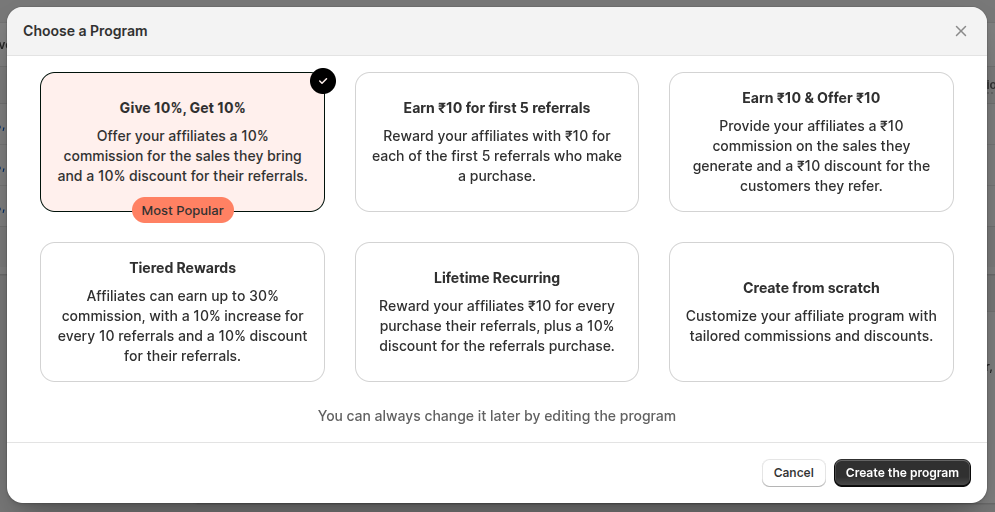
However, the key step is to set the right Shopify affiliate commission.
This motivates partners while keeping your margins intact.
Most programs start with percentage-based commissions.
- 10 – 15% for standard products (hence affordable for you).
- 20 – 30% for high-margin products (therefore more attractive for affiliates).
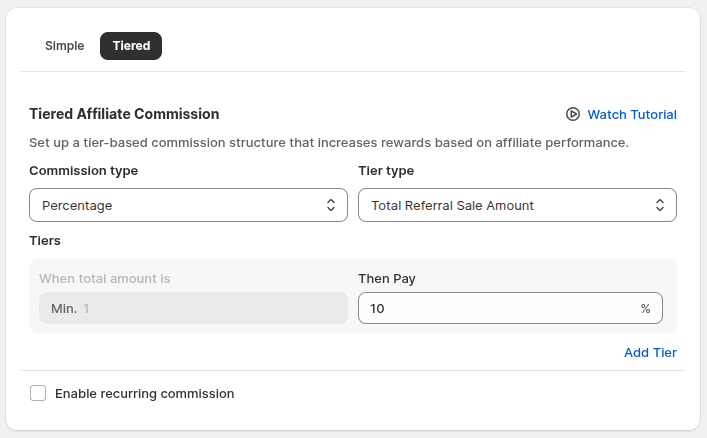
- Tiered structures where top performers earn higher rates, as a result, increase loyalty and performance.
Yuko Affiliate Marketing supports all these structures. Subsequently, you just pick options from a simple drop-down and save.
Hence, your affiliate program is live in minutes. So, no coding or hassle.
Step 3: Create your contract and terms
Your Shopify affiliate program needs clear rules to protect everyone involved.
Therefore, set up affiliate compliance covering approved promotional methods and prohibited advertising practices. Brand usage guidelines and content approval requirements
Following that, be specific about commission terms, their calculation methods, payment schedules, payment thresholds, etc.
Furthermore, define performance standards so affiliates know what’s expected, and include termination conditions to avoid surprises.
As a result, you can build clear, structured affiliate communication that keeps your program efficient and professional.
Step 4: Build your signup page
Once your program is set, recruiting affiliates becomes part of your launch strategy. Therefore, your Shopify affiliate website needs a dedicated affiliate signup form that attracts quality partners.
Clearly show your value proposition, commission structure, and earning potential upfront in the form.
Keep the signup form simple, but capture key info like contact details, experience, audience size, and promotion plans.
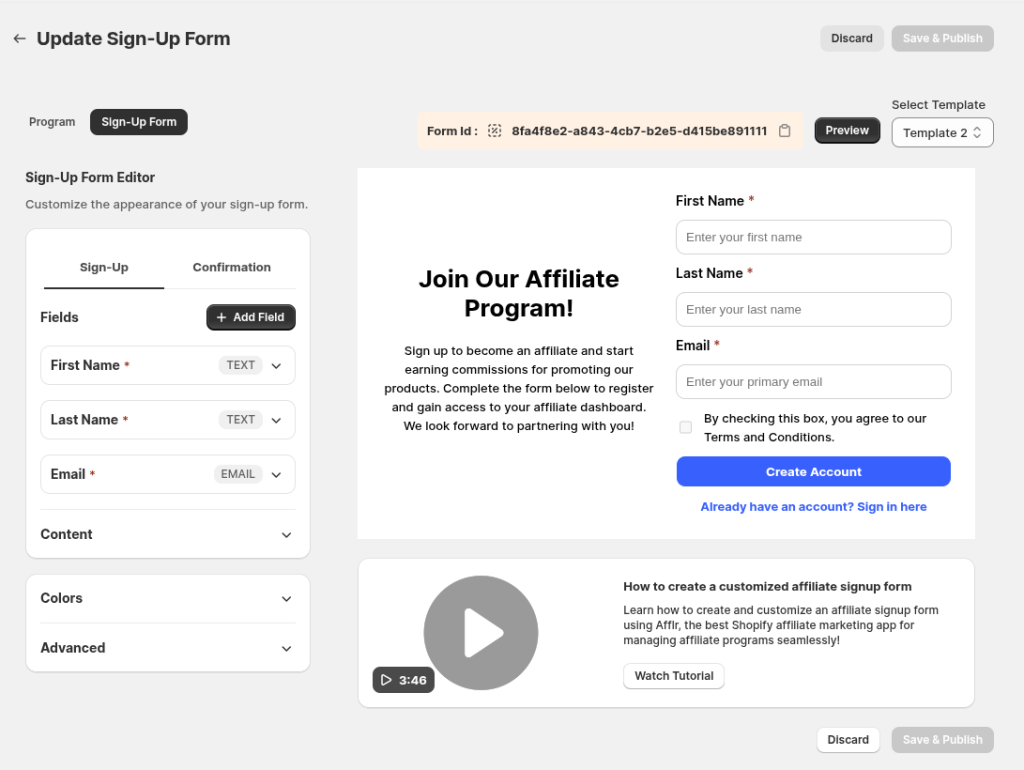
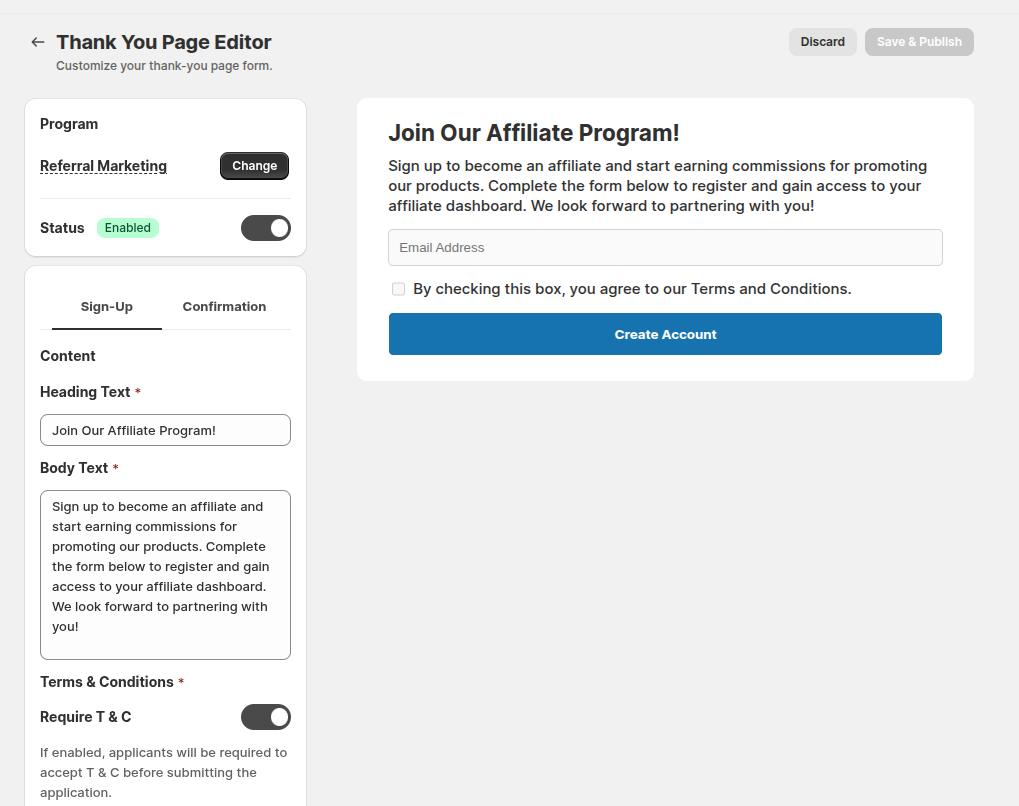
Yuko Affiliate Marketing offers built-in templates for affiliate signup forms.
Hence, you can select a template, customize it with the drag-and-drop editor, and launch your signup page quickly.
In addition, Yuko Affiliate Marketing lets you add a Thank You page to the order confirmation.
As a result, you can convert customers into referral partners instantly.
Thus, expanding your affiliate network and making them part of your referral marketing.
Step 5: Set up tracking and payments
This is the most technical part of your Shopify affiliate program. Therefore, your system must:
- Generate unique tracking links for each affiliate
- Track clicks and sales across devices
- Handle attribution accurately and fairly
- Calculate and approve commissions automatically
You also need to set up multiple payment options like PayPal, bank transfers, or others that your affiliates prefer.
Hence, automating payouts is crucial to avoid manual calculations every month.
Yuko Affiliate Marketing handles all of this seamlessly. As a result, each affiliate gets a unique link, tracked in real time, with commissions approved automatically.
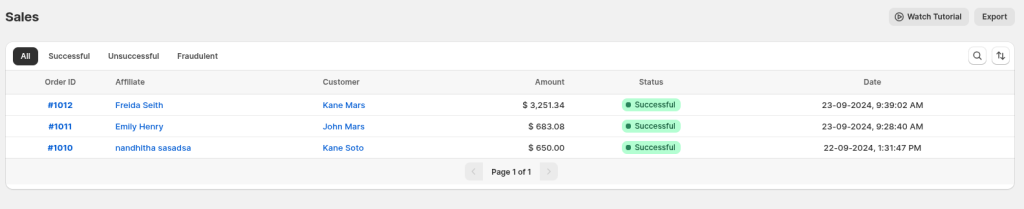
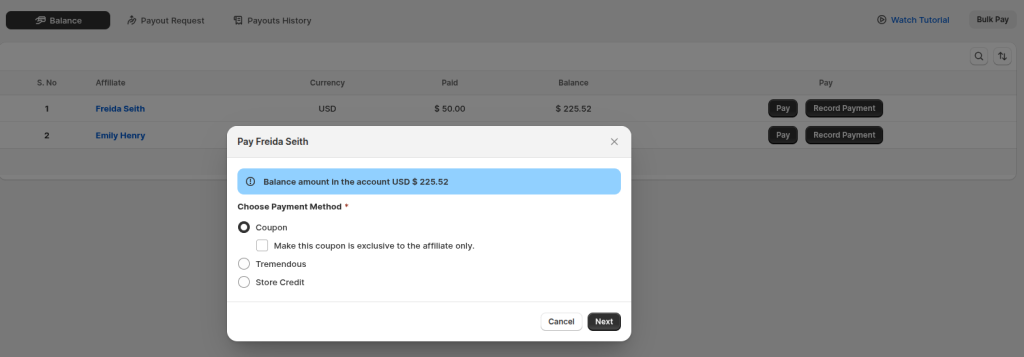
Furthermore, Yuko Affiliate Marketing supports bulk payments, allowing payouts in 700+ ways, hence saving you time and reducing errors.
Step 6: Create your onboarding process
This is the final step before your affiliate program starts driving results.
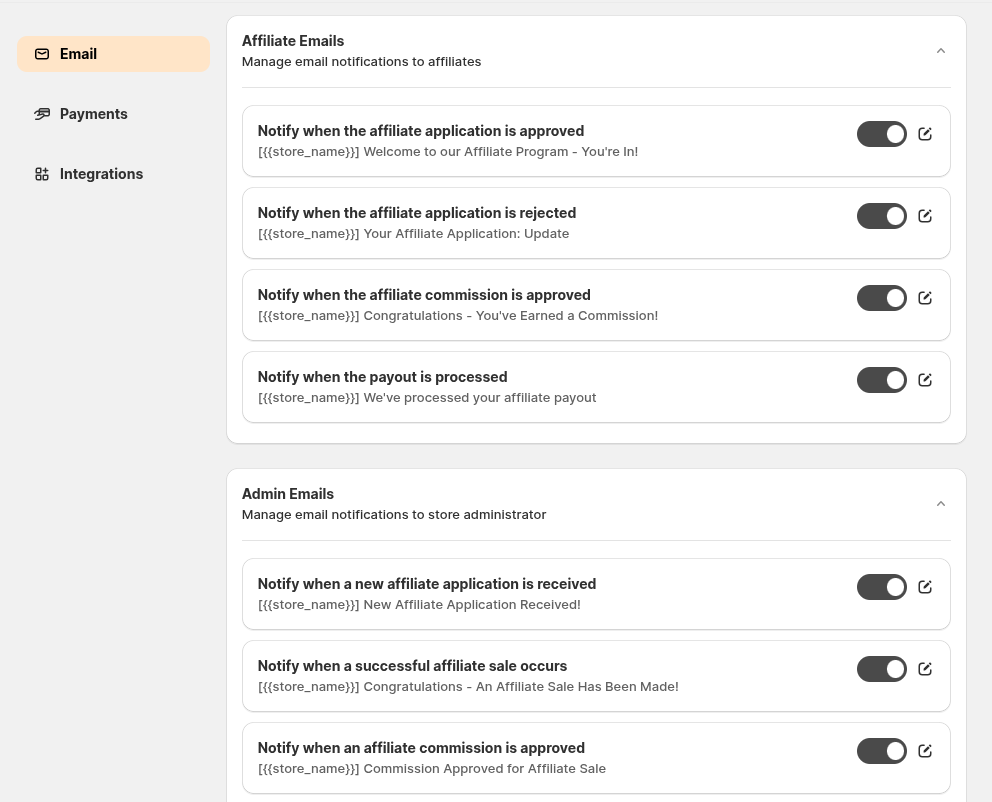
Once an affiliate partner joins your program, send a welcome email immediately. After someone joins. This should include their affiliate link, program details, and access to promotional materials.
You can automate affiliate emails easily with Yuko Affiliate Marketing, which also integrates with Klaviyo or Zapier, hence streamlining your workflow.
How to optimize a Shopify Affiliate Program for better results?
Your work doesn’t stop with setting up. The real secret to success lies in optimizing.
Here are some tricks to help you optimize your affiliate program in Shopify for better results.
1. Track the right metrics.
The affiliate marketing metrics show which affiliates deliver profitable customers vs. just traffic volume.
Hence, review these metrics monthly to optimize your affiliate mix and maximize ROI.
Moreover, focus your budget and partnerships on high-performing affiliates that drive real business growth.
2. Segment your affiliates
Your top 20% of affiliates likely generate 80% of your revenue. Invest accordingly.
Therefore, to keep them motivated, adjust commission tiers to reward your best performers.
You can follow this strategy.
- Top 20% (Your Stars): Offer higher commission rates, exclusive promotional materials, and priority support access.
- Middle 60% (Steady Contributors): Share best practices from top performers and then provide additional training and resources
- Bottom 20% (Underperformers): Identify performance barriers and then offer targeted training
3. Keep testing and improving.
One good thing about affiliate marketing is that it is very flexible. Therefore, test commission models, tiered structures, referral incentives, recruitment methods, and landing pages to see what works best.
As a result, you will find out what works better for your audience and gain better results.
Common issues in affiliate programs and tips to fix them
Here are some common affiliate program issues and tips to fix them:
Low participation: If affiliates sign up but don’t promote anything, then optimize your affiliate onboarding. Establish clear next steps and maintain regular communication regarding new products or promotions.
Poor quality traffic: Set traffic quality requirements, provide targeting guidance, and focus on building relationships with affiliates who understand your customers.
Payment processing issues: Automate payouts by establishing clear payment schedules and maintaining backup procedures.
Tracking problems: Use reliable affiliate tracking tools, implement multiple attribution methods, and always provide clear guidelines to your affiliates.
Don’t guess affiliate success—build, track, and optimize with Yuko Affiliate Marketing’s Shopify-native platform.
Conclusion
If you thought setting up a Shopify affiliate program was too complex, this guide should’ve changed that.
By the end, you would have understood how the affiliate marketing program works with a step-by-step guide to launch it and proven tips to optimize it.
Overall, you now have a complete playbook.
The next step is to pick your affiliate app, set your commission structure, and create your first recruitment page.
Frequently Asked Question
No, Shopify doesn’t have a built-in affiliate program for store owners. Hence, you’ll need a third-party affiliate marketing app like Yuko Affiliate Marketing to create and manage your program directly within your store.
You can create an affiliate program without a Shopify app; however, it will involve manually onboarding and tracking referrals and commissions. Thus, you are more likely to make mistakes and waste your time.
You can start by paying your Shopify affiliates 10% – 30% commission per sale. Following that, you can increase the commission based on their performance.
Top-rated apps for affiliate programs in Shopify include UpPromote, Yuko Affiliate Marketing, and Refersion. Before you make a choice, look for ease of setup, automation features, affiliate tracking, and pricing.
You don’t need Shopify Plus to run affiliate marketing, as most affiliate apps work on standard Shopify plans, too. However, some advanced features may require a paid plan for the app.
Customers are the best affiliate partners as they already know and love your products. Thus, many Shopify brands turn happy customers into affiliates through post-purchase pop-ups and emails.